
Drums First.
Drum notation app · Mai DrumTap it.
It's a score.
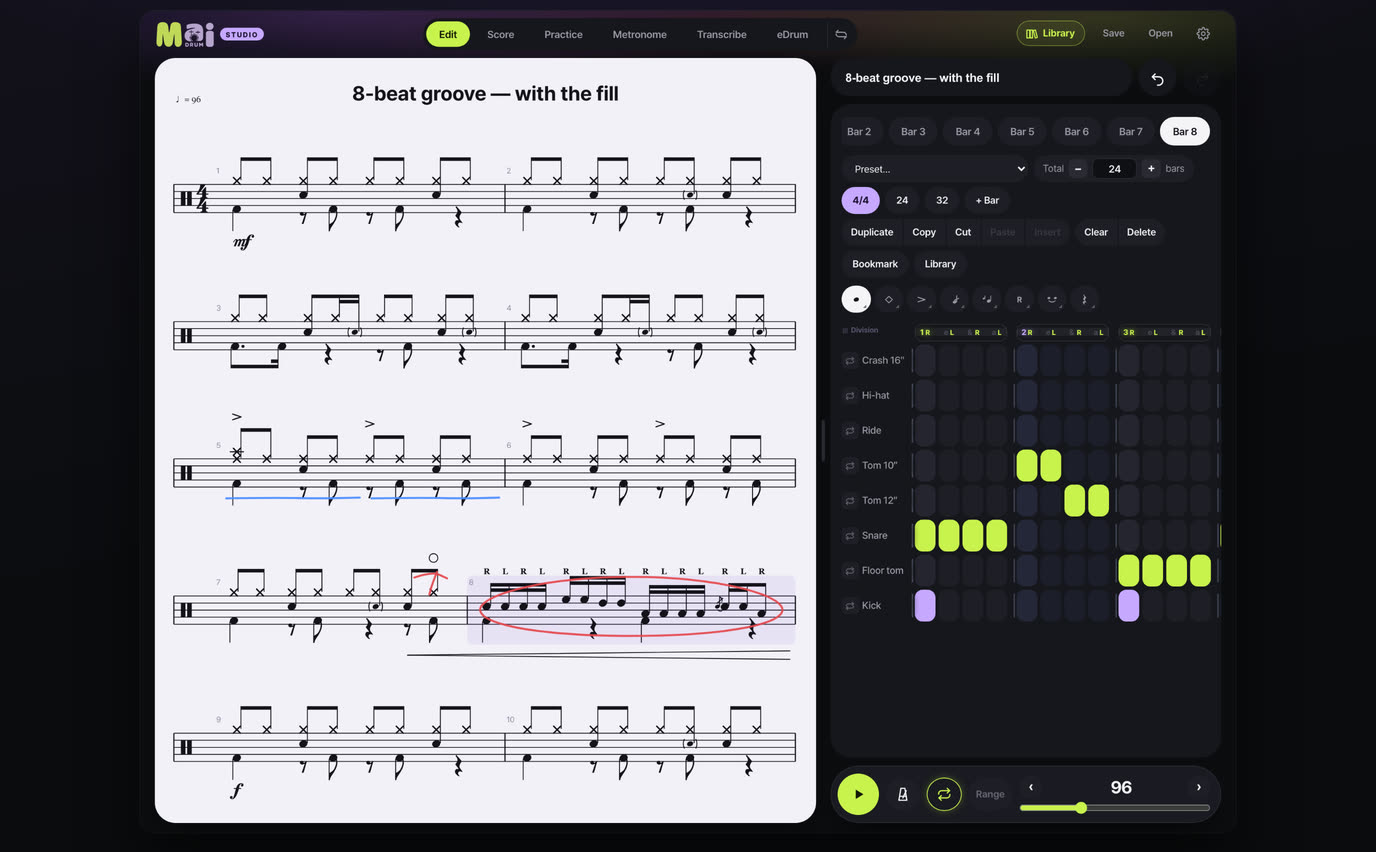
Tap a cell and the drum notation draws itself — and plays back on the spot.
Transcribe YouTube at slow speed, then practice with a metronome and loops. All in one app.
Free on your phone, nothing to install · The tablet app is a one-time purchase, not a subscription
Three taps, one bar
You don't place notes on a staff one at a time. You tap cells, and the app engraves the score.
Tap a cell
One row each for hi-hat, snare, kick and toms. Tap a beat cell and a note lands there. Triplets, quintuplets and 32nd notes too.
Hear it
Press ▶ and it plays exactly what you wrote — ghost notes soft, accents hard. You hear your mistakes.
Take it out
PDF for the music stand, PNG for the group chat, a scrolling-score video for Instagram. And a file you can open again later.
What drummers do every day,
in one app
Play it. Get scored.
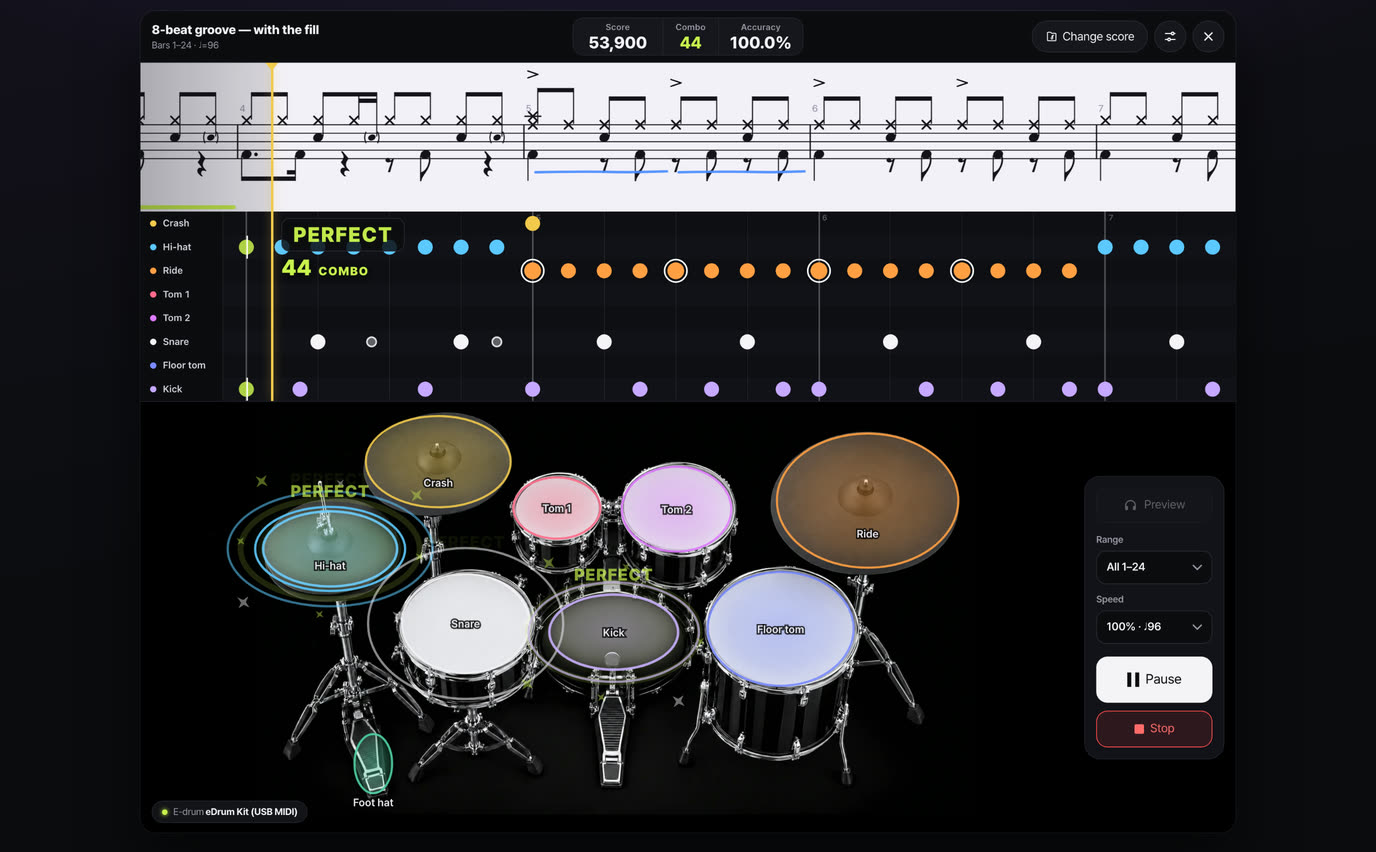
The score scrolls by. Play your electronic kit or tap the drum photo on screen, and every hit is judged for timing and dynamics. String PERFECTs together and a combo builds.
- Grade, accuracy per instrument and a score for every bar
- Retry just the weak bars, review your take
- Preview · range · speed 0.5–1.2× · metronome click
Listen and write it down, side by side
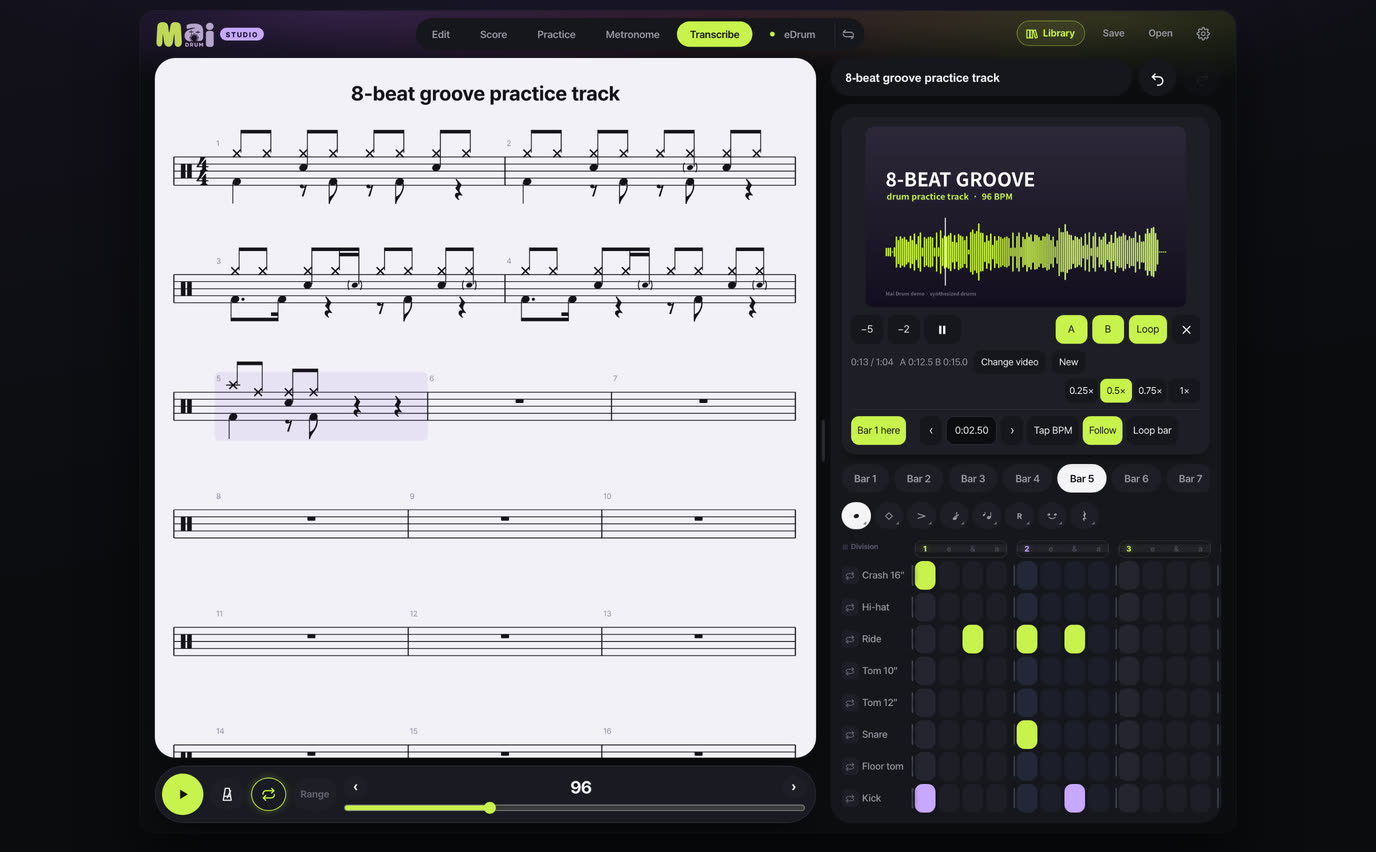
Play a YouTube link or an mp3 / mp4 file inside the app and write in the grid right below it. No switching windows. You can also put up a score image or PDF and copy from it.
- Slow down to 0.25× — the pitch stays the same
- A–B loop and bar loop
- Follows the current bar as the video plays
Play it, and it's written
Connect an electronic drum kit over USB and play. It's written out as notation, snapped to the beat. Ghost notes and accents come from how hard you hit.
Connecting an e-drum kit →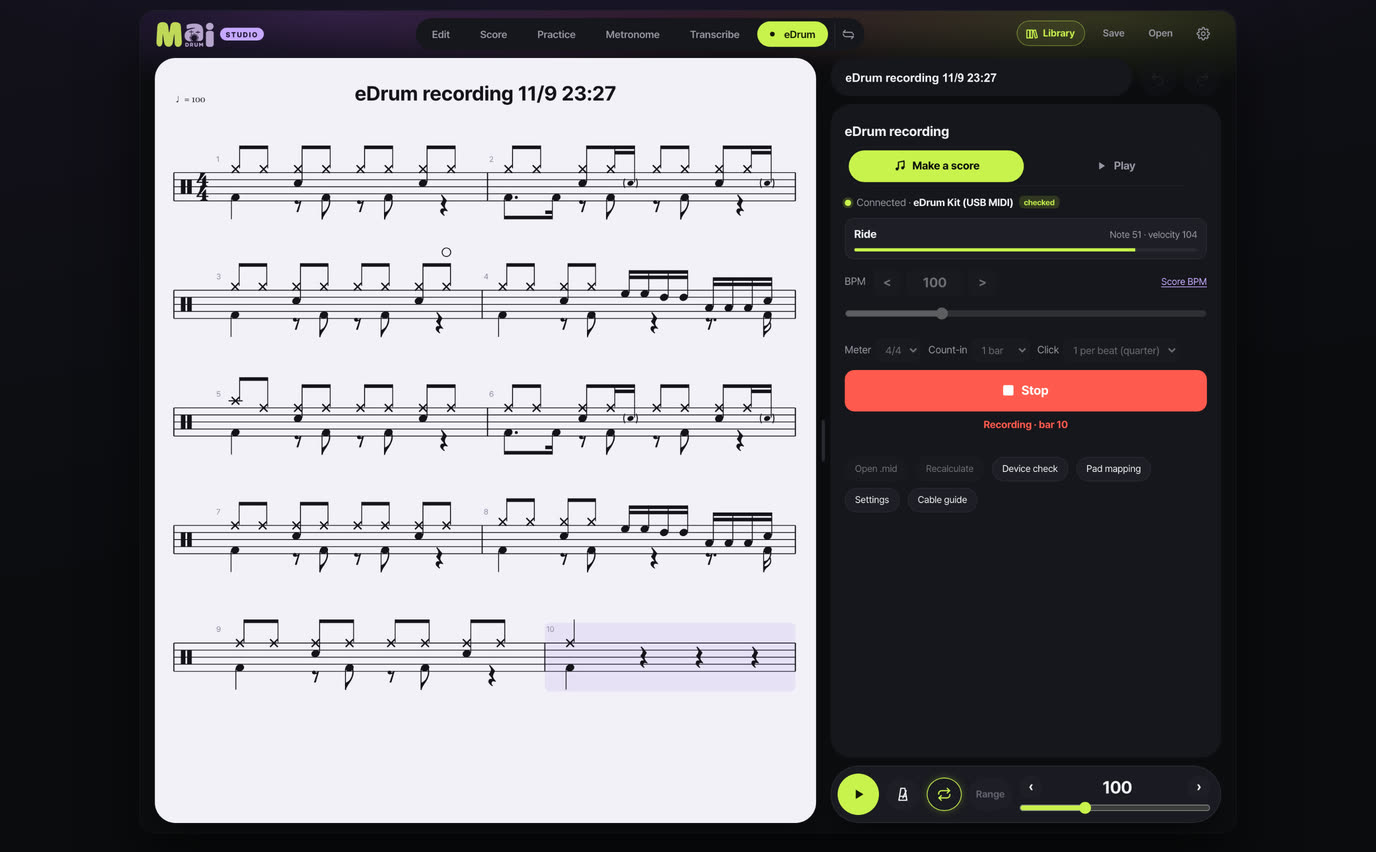
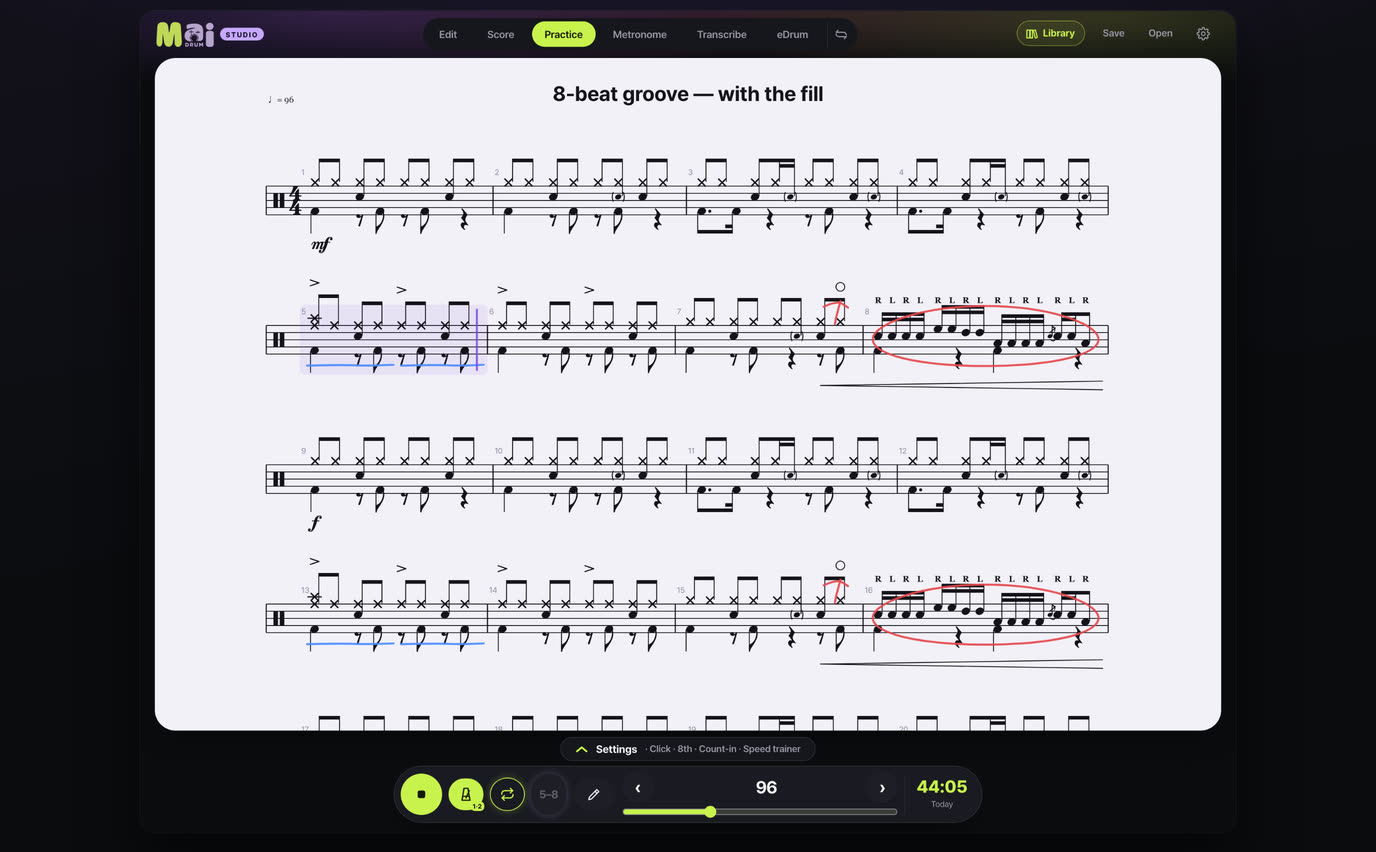
Loop the bar you can't play — until you can
Loop just that section, and the tempo climbs on its own every few passes. Today's practice time and BPM go into your Practice planner automatically.
- Loop · Speed trainer
- Drum sound down, click only — for practice at a real kit
- Practice planner — set a plan and it checks itself off as you play
- Pen notes in the Practice tab too
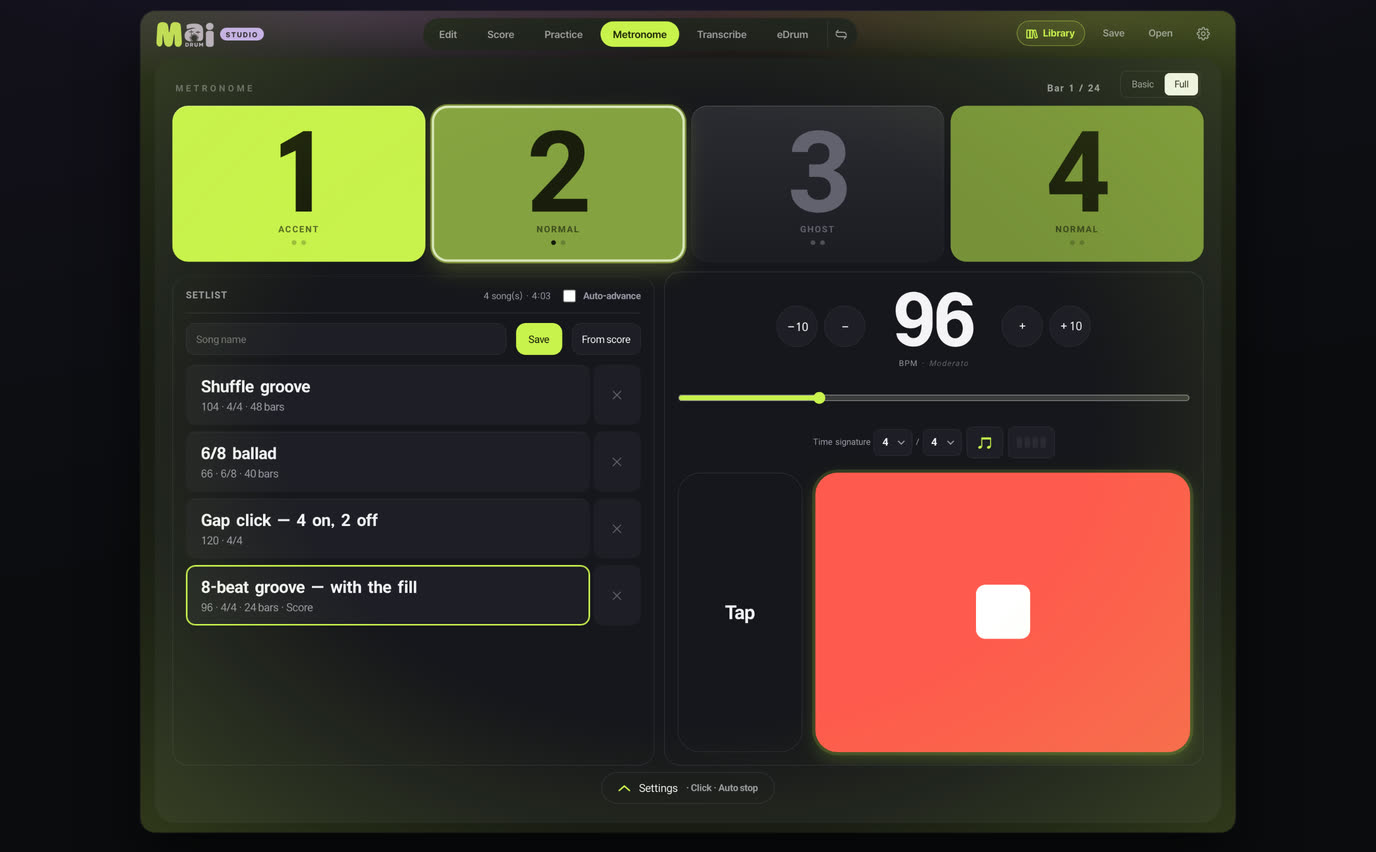
A metronome built for drummers
Per-beat sounds · gap trainer · auto tempo · setlists. A voice that counts one, two, three, four.
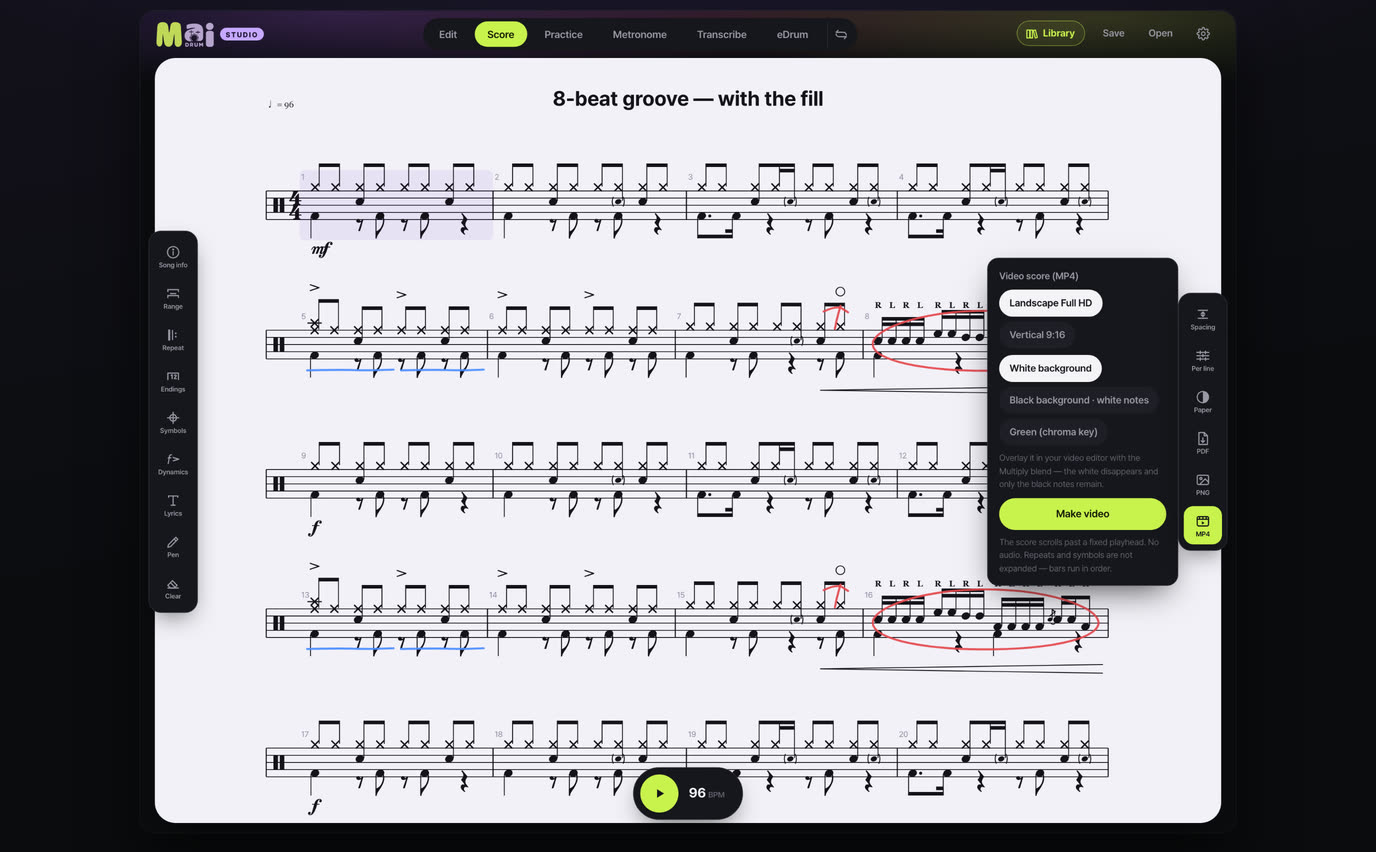
Scrolling score video
An MP4 score strip to put under your playing video. White, black or chroma-key background.
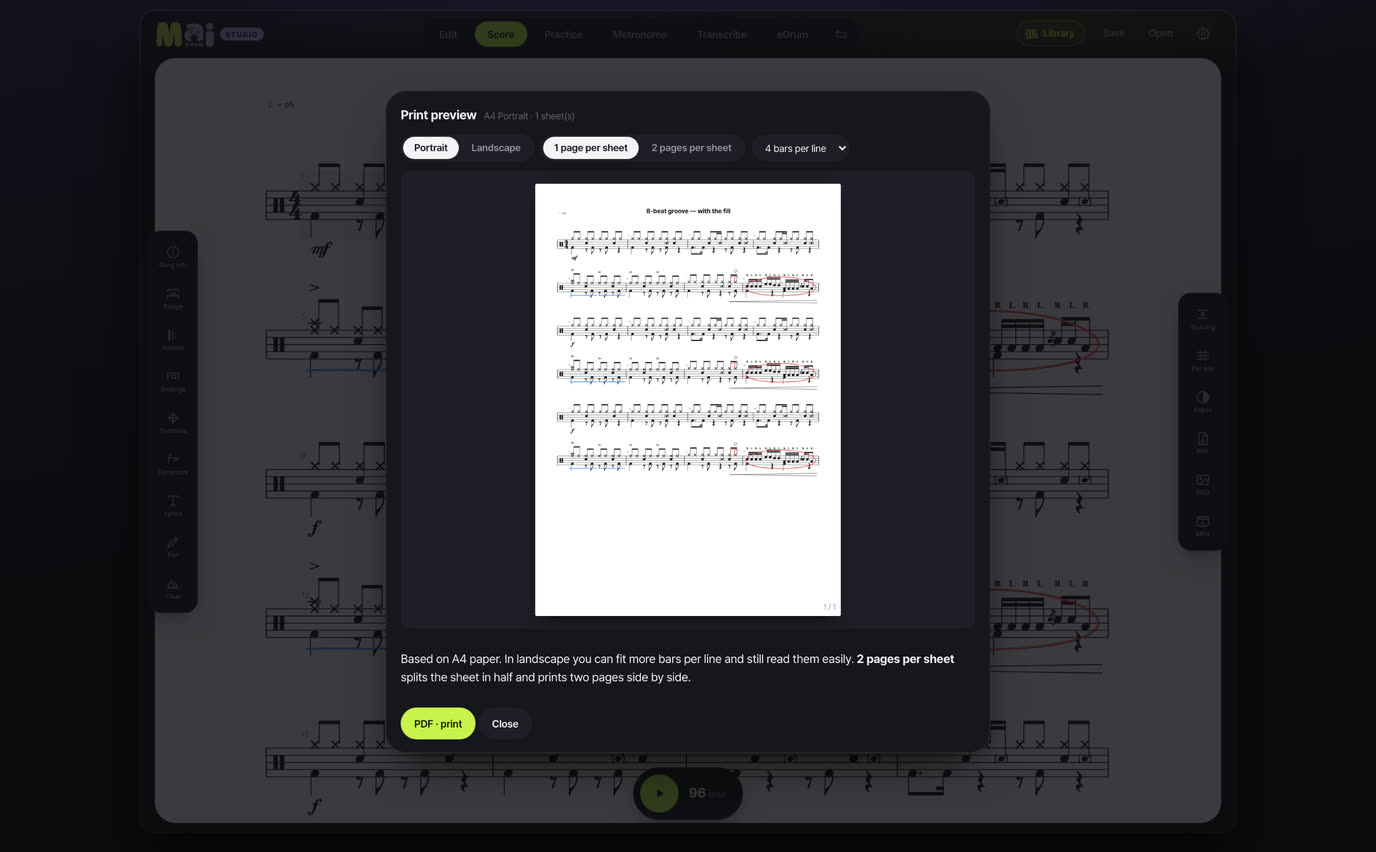
PDF for the music stand
A4 portrait, landscape, or two pages per sheet — with a title, composer and tempo header.
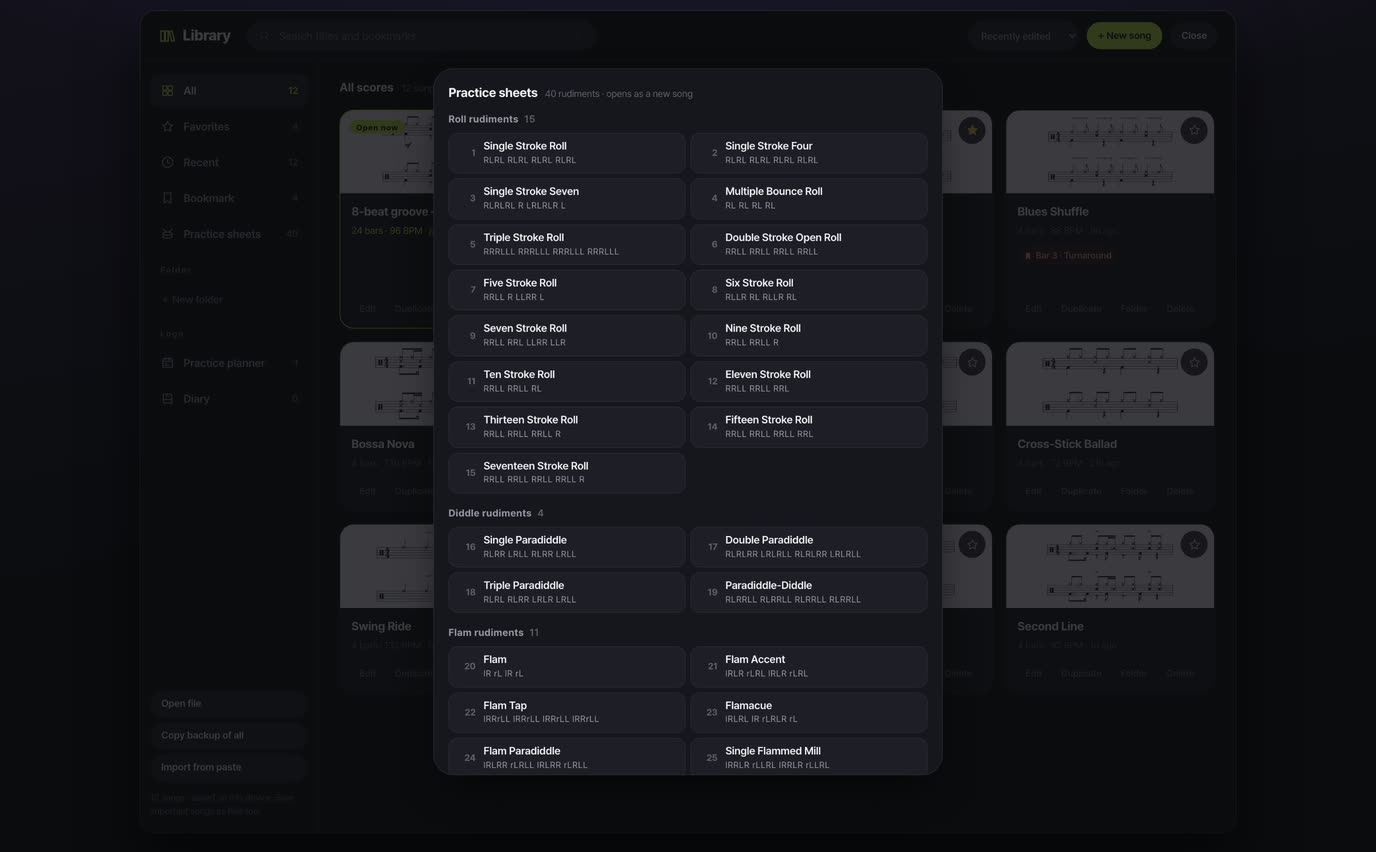
40 rudiments, ready to play
Paradiddles, flams, drags and rolls. Pick one and it opens as a new song with the sticking written in.
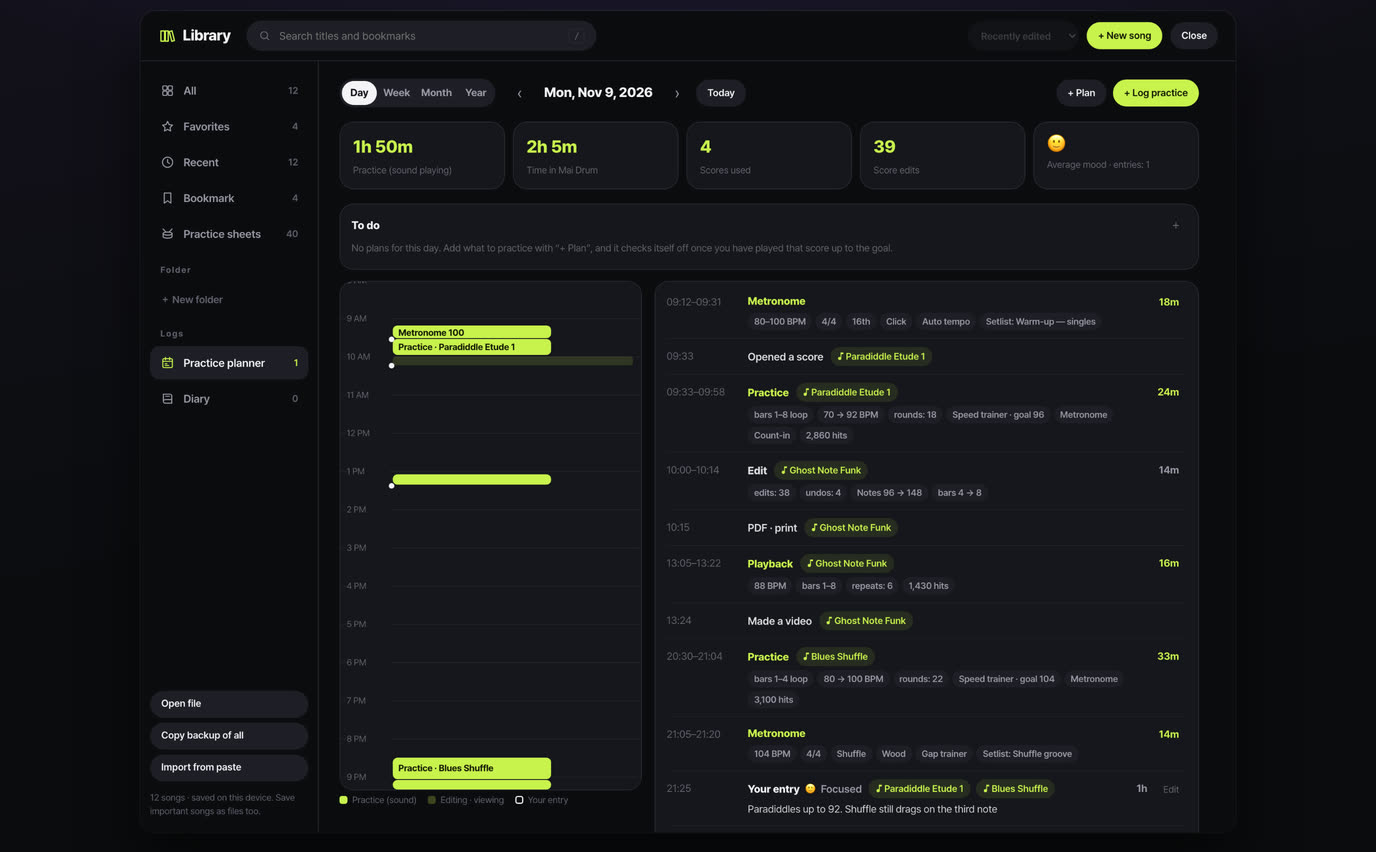
Practice planner
Set what to practice. Metronome, playback and editing time are logged by day, week, month and year on their own.
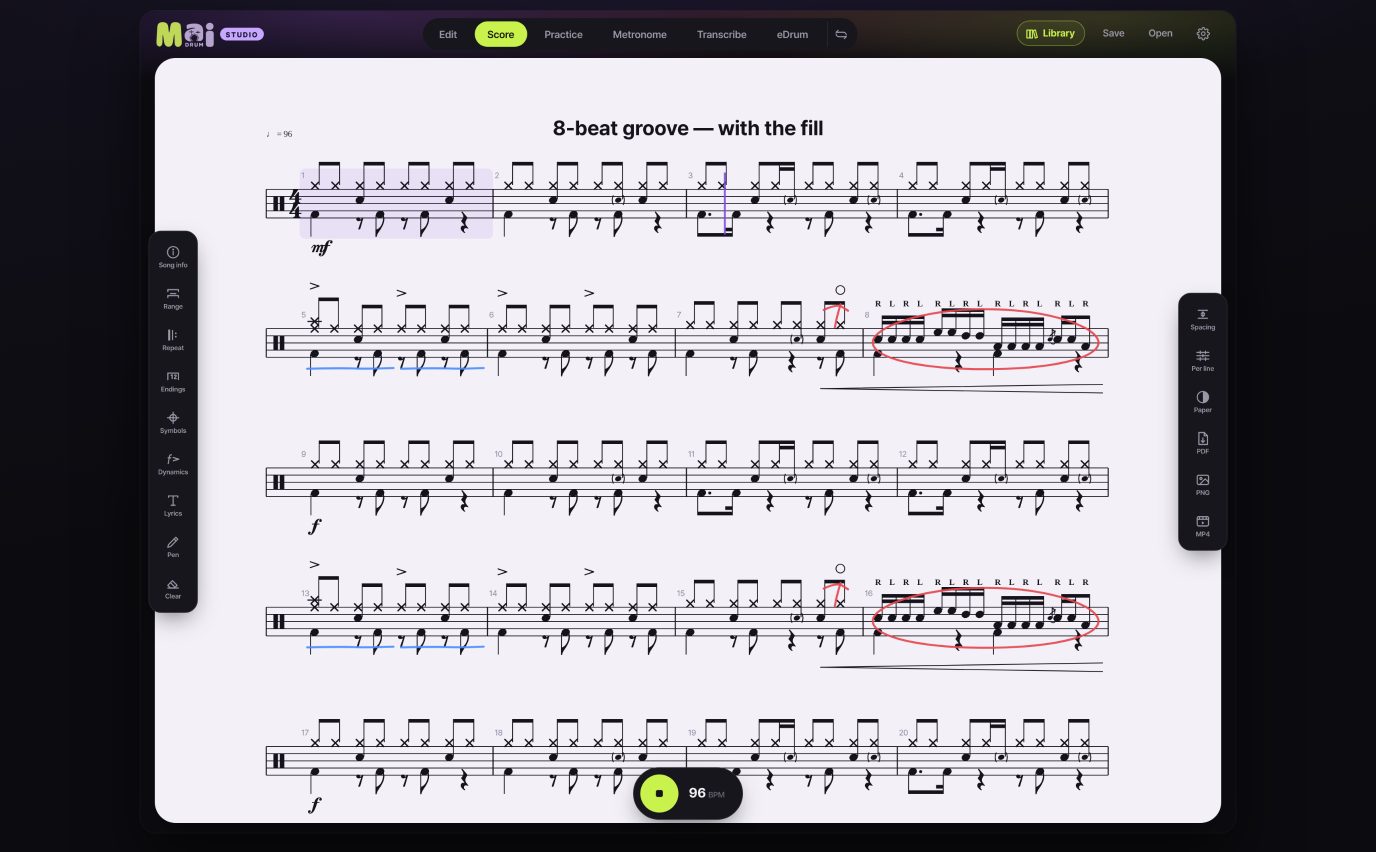
Real drum notation
Beams, rests, tuplet brackets, repeats, D.S., coda and dynamics — drawn by the rules of engraving.
Nothing to install,
free in your browser
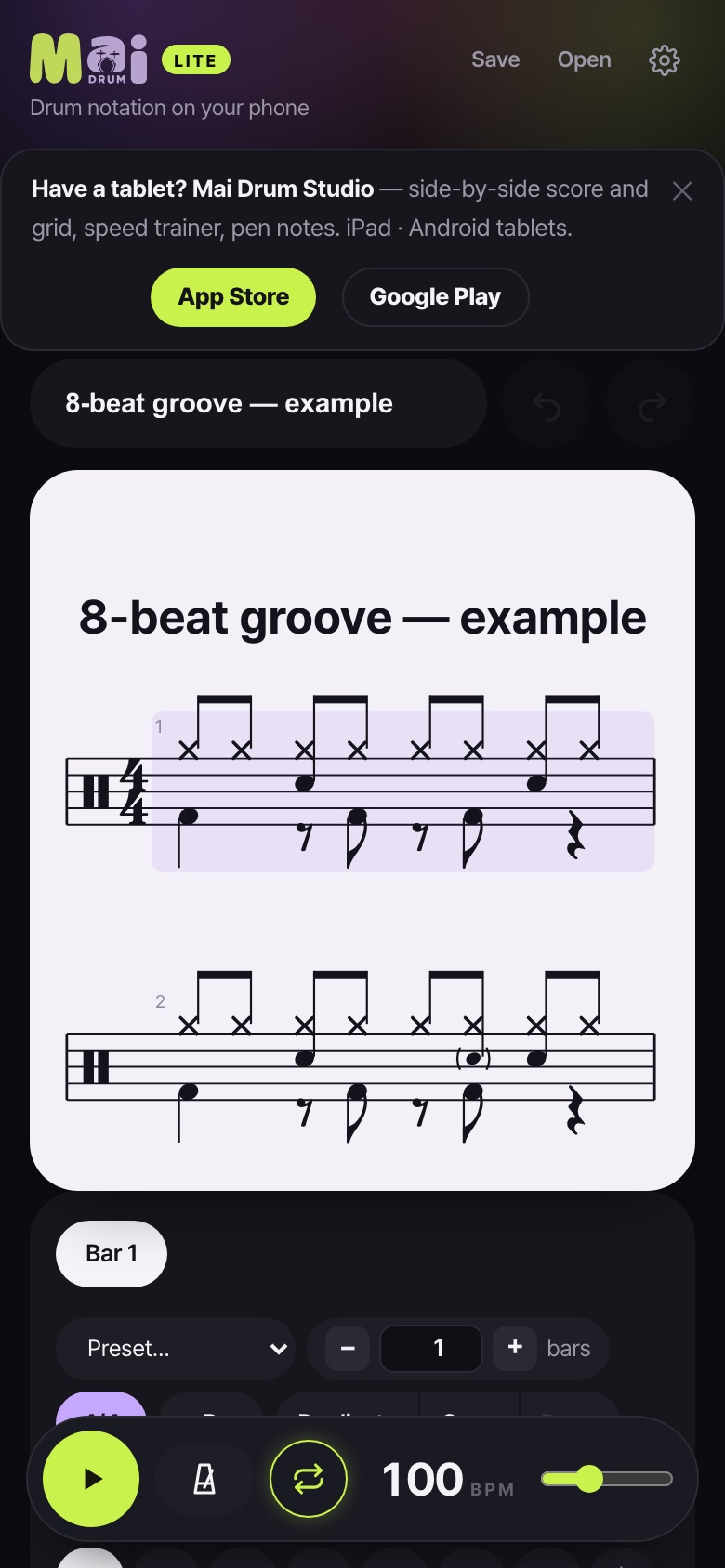
Before you forget what you just played at rehearsal. Open maidrum.com/app in your phone's browser and the grid is right there. No account.
Add it to your Home Screen and it opens like an app. Songs you make are saved on this device.
What's the difference
The phone web version is free for writing, listening and exporting. The tablet app adds the big screen for transcribing and practice.
| Phone webFree | Tablet appOne-time purchase | |
|---|---|---|
| Grid input · playback · notation marks | ● | ● |
| Triplets to nonuplets · 32nd notes · time signatures · swing | ● | ● |
| Practice sheets (40 rudiments) · My presets | ● | ● |
| PNG · PDF · MusicXML · file save | ● | ● |
| Scrolling score video | First 8 bars | ● |
| Two-pane screen (score | input) | — | ● |
| Transcribe tab (YouTube · audio, slowed down) | — | ● |
| Electronic drum connection (eDrum) | — | ● |
| eDrum Play (play and get scored) | — | ● |
| Metronome tab · Practice tab · Speed trainer | — | ● |
| Library · Practice planner · Pen notes | — | ● |
| Recorded drum kits (Studio · Jazz · Electro) | — | ● |
Nothing more to buy inside the app. No subscription.
How to use
New here? Start with these. In the app, Settings → How to use walks you through it on the real screen.
FAQ
Is there a phone app?
On phones, open maidrum.com/app in your browser and use it free. Add it to your Home Screen and it opens like an app. The store apps are for iPad and Android tablets.
Where are my scores saved?
On the device you use. Nothing is sent to a server. If you switch devices or clear your browser data they're gone, so save scores you want to keep with “Save → .mai.json file”.
Is the app in English?
Yes. The app is in English, Korean and Japanese. It opens in your device's language, and you can switch in Settings → Language.
Can I get sheet music for commercial songs?
No. Mai Drum doesn't sell sheet music — it's a tool for writing your own. Use the Transcribe tab to write it down as you listen.
If I buy it once, can I use it on another device?
Yes. With the same Apple ID (or Google account), downloading it again on another device costs nothing extra.